


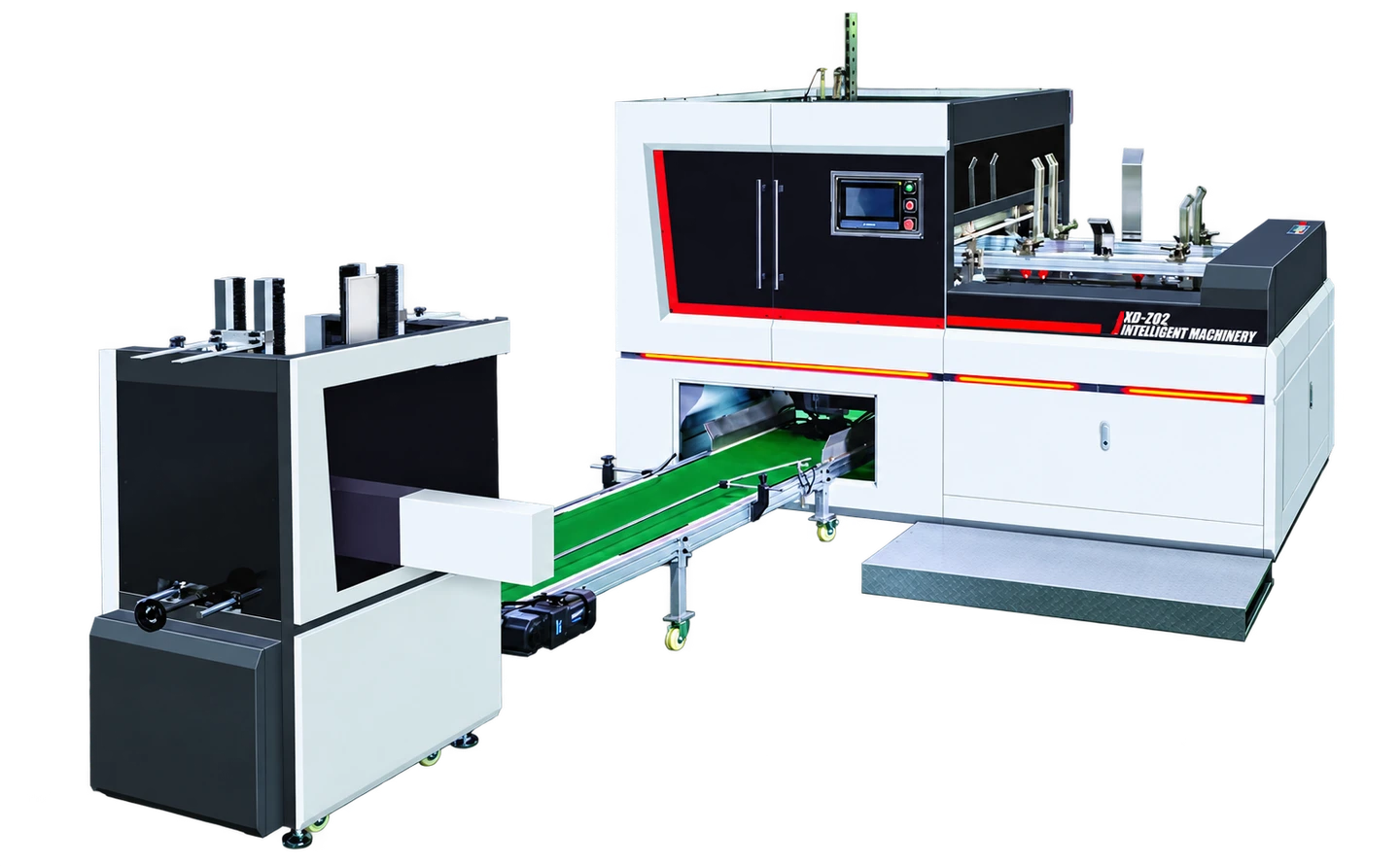
Rotate the XD-Z02 to find the blank magazine and the tray outlet. Use View structure to identify the main assemblies and Run machine to follow one forming cycle. This 3D illustration shows how an inward-folding corrugated tray moves through the equipment. Internal details and motion timing are simplified.
Open the interactive 3D model
Drag to rotate the machine and double-click to reset the view. Open the structure view to identify the feeding, forming, conveying and stacking assemblies before running the cycle.
Follow the blank through five stages
| Stage | What to watch for |
|---|---|
| Blank feed | A flat blank leaves the magazine and enters the forming area. Notice the face and orientation entering the machine. |
| Adhesive stage | The model highlights the gluing stage before folding. Use the blank drawing to locate the joints your tray design calls for. |
| Folding stage | Watch the walls fold in the forming area. Follow the crease lines on the blank drawing to see which panels become those walls. |
| Tray discharge | The formed tray leaves the folding area on the discharge conveyor. Note its direction of travel. |
| Tray collection | The illustration shows trays collecting at the outlet. Check whether your next step needs a stack or individual trays. |
Match the drawing to the question
To explain how the machine works, use the interactive view to point to a stage, such as where the blank is picked up or where a formed tray leaves the machine.
To check whether the equipment fits your line, ask which layout drawing is available for the proposed configuration. Mark the loading side, travel direction, intended outlet height and access area. If you have a conveyor already, label the transfer point and give its height and travel direction. Confirm the agreed layout and dimensions on the drawing.
To check whether it can form your box, set a flat blank beside one finished sample. Identify the panel that folds inward and mark where the corners close. Send the finished length, width and height, board thickness and daily output.
Are you looking for a carton folding machine on GrabCAD?
A CAD library can help you understand how a folding mechanism is arranged. Before using a model in a floor plan, check what machine and configuration it represents, along with its units, scale and revision.
The XD-Z02 link on this page opens an online viewer. If your team needs an editable STEP file or a DWG layout, send the model, file format and dimensions you need to check. Ask which drawing can be supplied for your project.
Catalogue models to discuss
These models are starting points for an enquiry. Confirm the configuration against your blank and sample.
- XD-Z02 · Multifunctional box folding machine
Automatic forming for inward-folding fruit and vegetable boxes, with feeding, gluing, folding and stacking in one process.